Router IP list · by brand
Default Router IP Address List by Brand
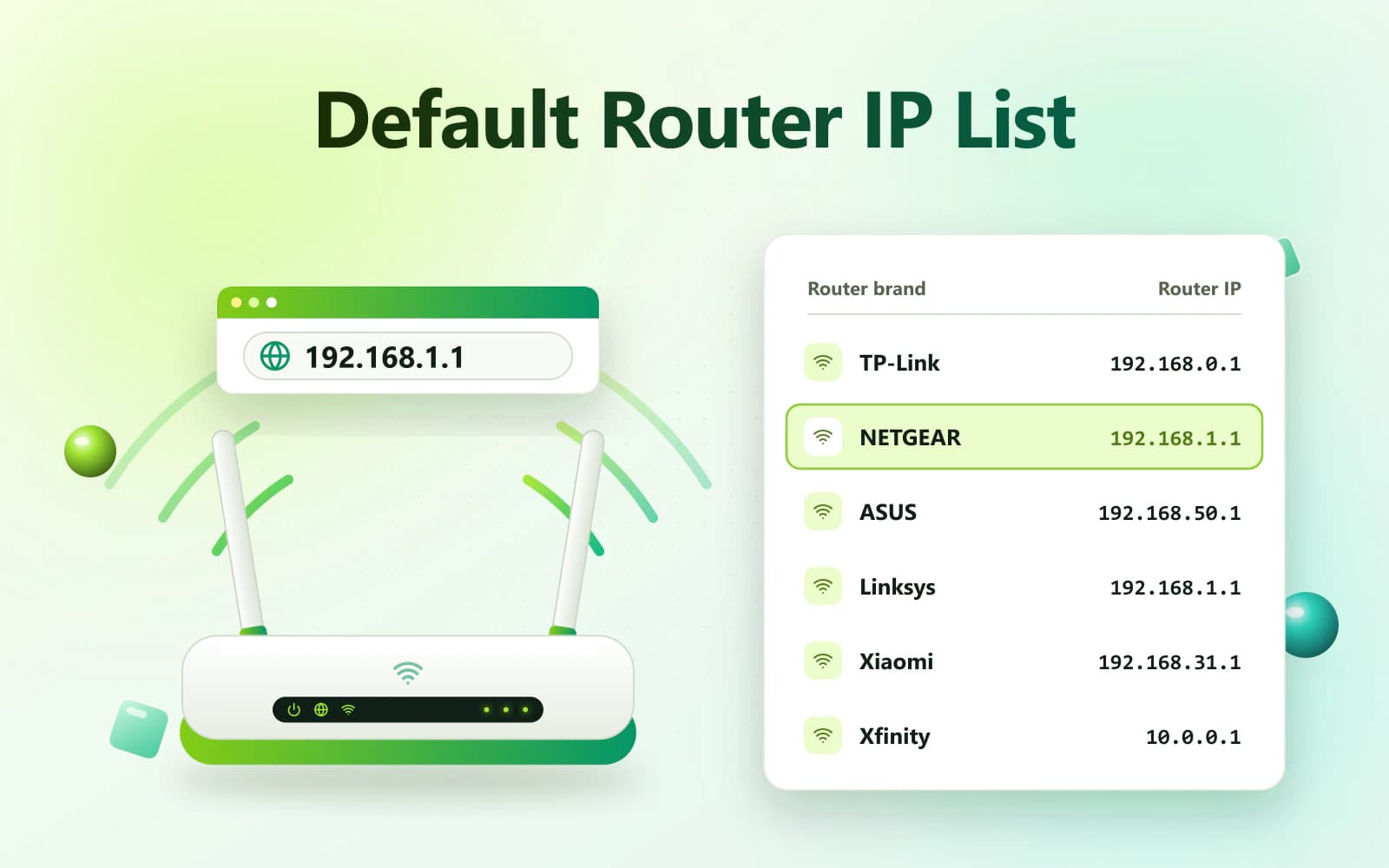
This Default Router IP Address List helps you find the commonly used login address for popular router brands. The correct IP can open your router’s local admin panel, where authorized users can manage Wi-Fi, security and connected-device settings.
- 192.168.1.1
- 192.168.0.1
- 10.0.0.1

On this page15
Overview
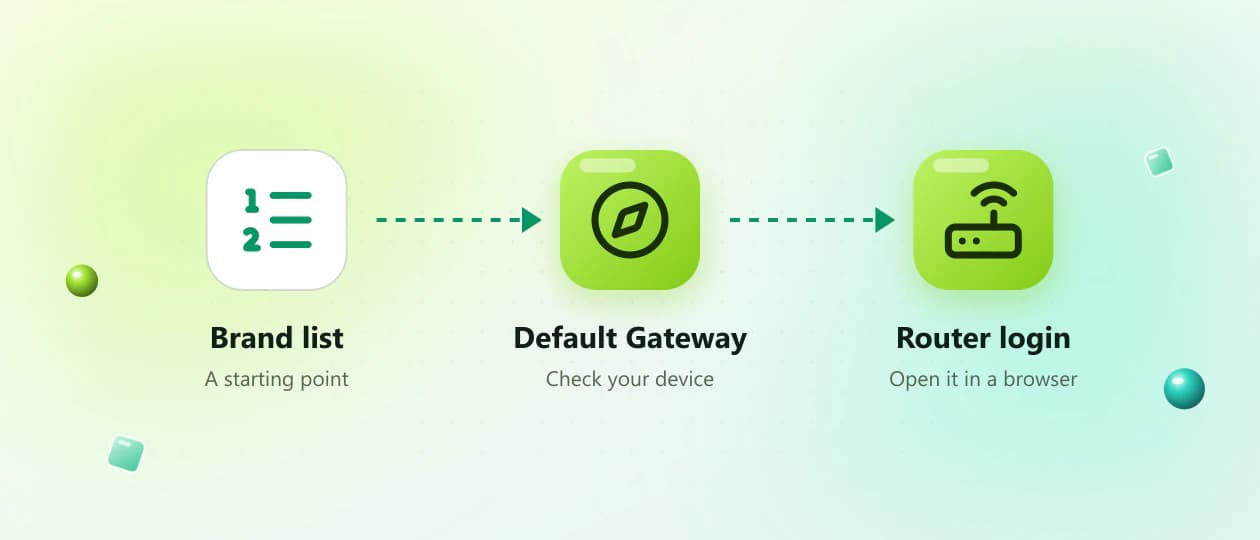
Use the list as a starting point
Addresses such as 192.168.1.1, 192.168.0.1 and 10.0.0.1 are commonly used private gateways. However, the exact address can vary according to the router model, firmware, operating mode and internet provider.
Use the brand list as a starting point. The most reliable method is to check the Default Gateway, Gateway or Router field on a device connected to your network.
By brand
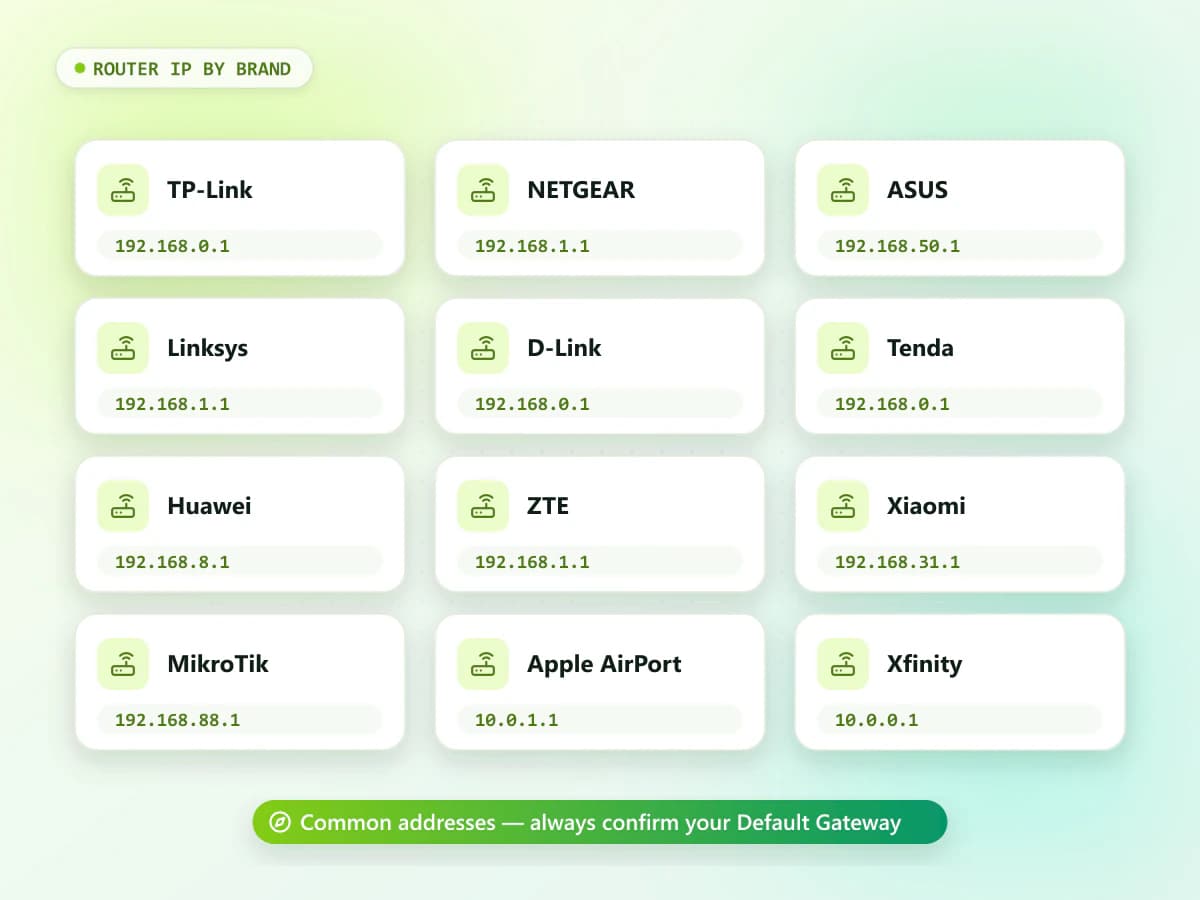
Quick Default Router IP Address List
| Router brand | Commonly used router IP addresses |
|---|---|
| 2Wire | 192.168.1.254 |
| 3Com | 192.168.1.1, 192.168.1.10 |
| Actiontec | 192.168.1.1, 192.168.0.1 |
| AirTies | 192.168.2.1, 192.168.1.1 |
| Apple AirPort | 10.0.1.1 |
| Arris | 192.168.0.1, 192.168.100.1 |
| ASUS | 192.168.1.1, 192.168.50.1 |
| Belkin | 192.168.2.1, 192.168.1.1 |
| Billion | 192.168.1.254, 192.168.1.1 |
| Buffalo | 192.168.11.1, 192.168.1.1 |
| Cisco | 192.168.1.1, 192.168.0.1 |
| D-Link | 192.168.0.1, 192.168.1.1 |
| DrayTek | 192.168.1.1 |
| Google Nest WiFi | Managed mainly through the Google Home app |
| Huawei | 192.168.1.1, 192.168.3.1, 192.168.8.1 |
| Linksys | 192.168.1.1; some models may use 192.168.10.1 |
| Mercusys | 192.168.1.1, 192.168.0.1 |
| MikroTik | 192.168.88.1 |
| Motorola | 192.168.0.1, 192.168.100.1 |
| NETGEAR | 192.168.1.1, 192.168.0.1 |
| Nokia | 192.168.1.1, 192.168.1.254 |
| Sagemcom | 192.168.1.1, 192.168.0.1 |
| Tenda | 192.168.0.1, 192.168.1.1 |
| Thomson | 192.168.1.254, 192.168.1.1 |
| TP-Link | 192.168.0.1, 192.168.1.1; Deco may use 192.168.68.1 |
| Ubiquiti | 192.168.1.1, 192.168.1.20 |
| Xiaomi | 192.168.31.1 |
| Xfinity gateways | 10.0.0.1 |
| ZTE | 192.168.1.1, 192.168.0.1, 192.168.100.1 |
| Zyxel | 192.168.1.1, 192.168.1.254 |
2Wire
- Commonly used router IP addresses
- 192.168.1.254
3Com
- Commonly used router IP addresses
- 192.168.1.1, 192.168.1.10
Actiontec
- Commonly used router IP addresses
- 192.168.1.1, 192.168.0.1
AirTies
- Commonly used router IP addresses
- 192.168.2.1, 192.168.1.1
Apple AirPort
- Commonly used router IP addresses
- 10.0.1.1
Arris
- Commonly used router IP addresses
- 192.168.0.1, 192.168.100.1
ASUS
- Commonly used router IP addresses
- 192.168.1.1, 192.168.50.1
Belkin
- Commonly used router IP addresses
- 192.168.2.1, 192.168.1.1
Billion
- Commonly used router IP addresses
- 192.168.1.254, 192.168.1.1
Buffalo
- Commonly used router IP addresses
- 192.168.11.1, 192.168.1.1
Cisco
- Commonly used router IP addresses
- 192.168.1.1, 192.168.0.1
D-Link
- Commonly used router IP addresses
- 192.168.0.1, 192.168.1.1
DrayTek
- Commonly used router IP addresses
- 192.168.1.1
Google Nest WiFi
- Commonly used router IP addresses
- Managed mainly through the Google Home app
Huawei
- Commonly used router IP addresses
- 192.168.1.1, 192.168.3.1, 192.168.8.1
Linksys
- Commonly used router IP addresses
- 192.168.1.1; some models may use 192.168.10.1
Mercusys
- Commonly used router IP addresses
- 192.168.1.1, 192.168.0.1
MikroTik
- Commonly used router IP addresses
- 192.168.88.1
Motorola
- Commonly used router IP addresses
- 192.168.0.1, 192.168.100.1
NETGEAR
- Commonly used router IP addresses
- 192.168.1.1, 192.168.0.1
Nokia
- Commonly used router IP addresses
- 192.168.1.1, 192.168.1.254
Sagemcom
- Commonly used router IP addresses
- 192.168.1.1, 192.168.0.1
Tenda
- Commonly used router IP addresses
- 192.168.0.1, 192.168.1.1
Thomson
- Commonly used router IP addresses
- 192.168.1.254, 192.168.1.1
TP-Link
- Commonly used router IP addresses
- 192.168.0.1, 192.168.1.1; Deco may use 192.168.68.1
Ubiquiti
- Commonly used router IP addresses
- 192.168.1.1, 192.168.1.20
Xiaomi
- Commonly used router IP addresses
- 192.168.31.1
Xfinity gateways
- Commonly used router IP addresses
- 10.0.0.1
ZTE
- Commonly used router IP addresses
- 192.168.1.1, 192.168.0.1, 192.168.100.1
Zyxel
- Commonly used router IP addresses
- 192.168.1.1, 192.168.1.254
These are commonly associated addresses, not guaranteed addresses for every device. Always check the router label, manual or current Default Gateway.
The basics
What Is a Default Router IP Address?
A default router IP address is the private network address originally assigned to a router by its manufacturer or internet provider.
The address allows a connected device to communicate with the router. When entered into a browser, it may open a local administration page.
The router IP is commonly used to manage:
- Wi-Fi name and password
- Connected devices
- Wireless security
- Guest networks
- Parental controls
- Local network settings
- Router firmware
- Administrator password
- Firewall settings
Menu names and available features vary between router models.
Gateway
What Is a Default Gateway?
A Default Gateway is the device your phone or computer uses to reach destinations outside its local network.
In most home networks, the router is the Default Gateway. Therefore, the gateway shown in your network settings is normally the correct router IP.
Different operating systems use different labels:
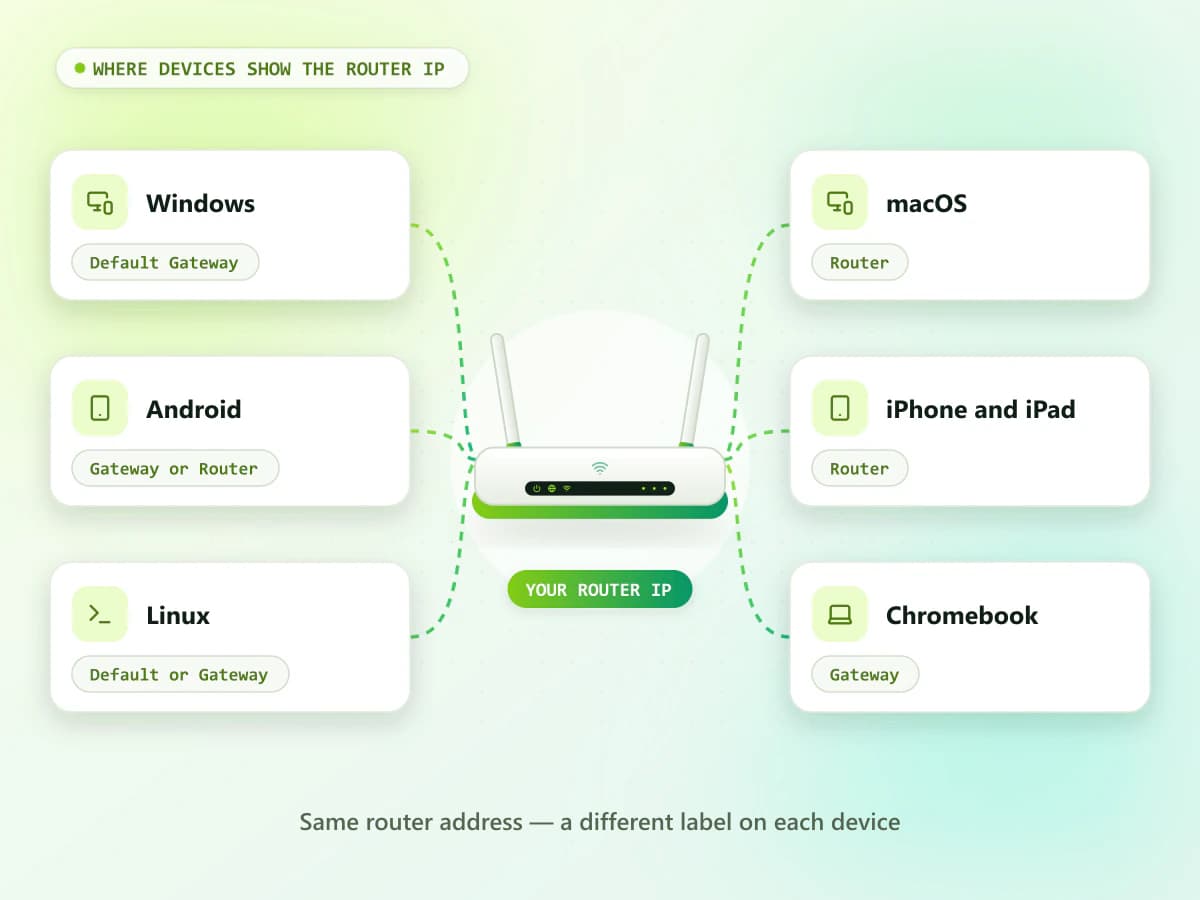
| Device | Router IP label |
|---|---|
| Windows | Default Gateway |
| macOS | Router |
| Android | Gateway or Router |
| iPhone and iPad | Router |
| Linux | Default or Gateway |
| Chromebook | Gateway |
Windows
- Router IP label
- Default Gateway
macOS
- Router IP label
- Router
Android
- Router IP label
- Gateway or Router
iPhone and iPad
- Router IP label
- Router
Linux
- Router IP label
- Default or Gateway
Chromebook
- Router IP label
- Gateway
The current gateway is more reliable than a general brand list because the original router address can be changed.
Common gateways
Most Common Router IP Addresses
192.168.1.1
192.168.1.1 is one of the most widely used private router addresses. It is commonly associated with routers from brands such as Linksys, NETGEAR, ASUS and several ISP-supplied devices.
However, it is not exclusive to one brand.
Private IPv4192.168.0.1
192.168.0.1 is another common private gateway. Some TP-Link, D-Link, NETGEAR, Tenda and other routers may use it.
TP-Link officially identifies 192.168.0.1 as one of its web-management addresses, while some models may use another gateway.
Private IPv410.0.0.1
10.0.0.1 is a private address used by certain cable gateways, business networks and ISP-supplied routers.
It should not be confused with invalid variations such as:
- 10.0.0.0.1
- 1.0.0.0.1
- 10.00.1
- 10.0.01
- 10.0 0.1
Private IPv4192.168.1.254
192.168.1.254 is commonly associated with some ISP gateways and devices from brands such as 2Wire, Billion, Thomson and Zyxel.
Private IPv4192.168.100.1
192.168.100.1 is often used as a local status or management address by some cable modems and gateway devices.
It may open only limited modem information rather than a complete Wi-Fi router panel.
Private IPv4
Brand by brand
Default IP Addresses for Major Router Brands
TP-Link Router IP Address
Common TP-Link addresses include:
- 192.168.0.1
- 192.168.1.1
- 192.168.68.1 for some Deco systems
- tplinkwifi.net
TP-Link officially lists tplinkwifi.net and 192.168.0.1 for accessing many router management pages. It also notes that the exact LAN IP varies by product, with many models using 192.168.0.1 or 192.168.1.1.
TP-Link router login instructions
TP-LinkNETGEAR Router IP Address
Common NETGEAR login options include:
- 192.168.1.1
- 192.168.0.1
- routerlogin.net
NETGEAR officially recommends opening routerlogin.net or 192.168.1.1 from a device connected to the router.
NETGEAR router login guide
NETGEARASUS Router IP Address
Common ASUS router addresses include:
- 192.168.1.1
- 192.168.50.1
- asusrouter.com
ASUS identifies both 192.168.1.1 and 192.168.50.1 as default LAN addresses used by its routers.
ASUS LAN IP guide
ASUSLinksys Router IP Address
Common Linksys options include:
- 192.168.1.1
- myrouter.local
- 192.168.10.1 on certain models or configurations
Linksys commonly uses 192.168.1.1, but official documentation shows that some newer models can use a different address.
Linksys local login instructions
LinksysD-Link Router IP Address
Common D-Link addresses include:
- 192.168.0.1
- 192.168.1.1
- dlinkrouter.local on supported models
The exact address can vary by router family and firmware.
D-LinkTenda Router IP Address
Common Tenda options include:
- 192.168.0.1
- 192.168.1.1
- tendawifi.com on supported routers
Check the router label because mobile routers, extenders and mesh systems may use different addresses.
TendaHuawei Router IP Address
Common Huawei router and mobile hotspot addresses include:
- 192.168.1.1
- 192.168.3.1
- 192.168.8.1
Huawei devices supplied by an ISP may use a provider-specific gateway or management application.
HuaweiZTE Router IP Address
Common ZTE gateway addresses include:
- 192.168.1.1
- 192.168.0.1
- 192.168.100.1
The correct IP can vary between fiber ONTs, mobile routers and ISP-supplied gateways.
ZTEXiaomi Router IP Address
A commonly used Xiaomi router address is:
- 192.168.31.1
Some models may also support a local hostname or mobile application.
XiaomiMikroTik Router IP Address
A common factory address for many MikroTik devices is:
- 192.168.88.1
A MikroTik device may use a different address after professional or ISP configuration.
MikroTikUbiquiti Router IP Address
Ubiquiti addresses vary significantly by product and configuration. Common examples include:
- 192.168.1.1
- 192.168.1.20
Some UniFi products are managed through a controller or official application rather than a basic local login page.
Ubiquiti
Troubleshooting
Why Does the Default Router IP Not Work?
An address from the list may fail for several reasons.
The Router Uses Another IP
Different models from the same brand can use different addresses. An ISP or previous owner may also have changed the gateway.
Find the current Default Gateway instead of testing random addresses.
Cause 01Your Device Is on the Wrong Network
A private router page usually opens only from that router’s local network.
Connect through:
- The router’s main Wi-Fi network
- An Ethernet cable
- The official router application, when required
Guest networks may block access to local devices.
Cause 02Mobile Data Is Active
A phone may try to use its cellular connection instead of local Wi-Fi. Temporarily disable mobile data and reload the gateway.
Cause 03The IP Was Entered Incorrectly
Enter the IP directly into the browser address bar.
For example:
- http://192.168.1.1
Avoid spaces, commas, extra periods and letters.
Cause 04A VPN or Proxy Is Interfering
A VPN can prevent access to private network addresses. Pause it temporarily or enable its local-network access option.
Cause 05The Router Uses an Official App
Some mesh systems and newer routers are primarily managed through an official application. Check the router manual or manufacturer’s support page.
Cause 06
Default gateway
Find your router IP on any device
How to Find Your Router IP on Windows
- Press Windows + R.
- Enter cmd.
- Select OK.
- Type: ipconfig
- Press Enter.
- Find the active Wi-Fi or Ethernet adapter.
- Check Default Gateway.
Example:
Default Gateway . . . . . : 192.168.1.1
The value beside Default Gateway is normally the current router IP.
WindowsHow to Find the Router IP on macOS
- Open the Apple menu.
- Select System Settings.
- Open Network or Wi-Fi.
- Select the connected network.
- Open Details.
- Select TCP/IP, if needed.
- Find Router.
macOSHow to Find the Gateway on Android
- Open Settings.
- Select Network & internet, Connections or Wi-Fi.
- Tap the connected Wi-Fi network.
- Open Network details or Advanced.
- Find Gateway or Router.
Menu names vary between manufacturers.
AndroidHow to Find the Router IP on iPhone or iPad
- Open Settings.
- Tap Wi-Fi.
- Tap the information icon beside the connected network.
- Scroll to the IPv4 section.
- Find Router.
The Router value is the address you should enter in Safari or another trusted browser.
iPhone / iPad
Step by step
How to Open Your Router Login Page
After finding the correct gateway:
- 01
Connect to the router through Wi-Fi or Ethernet.
- 02
Open a trusted browser.
- 03
Select the browser address bar.
- 04
Enter the exact gateway.
- 05
Press Enter or Go.
- 06
Wait for the local login page.
- 07
Enter the authorized admin credentials.
Only access a router that you own or have permission to manage.
Credentials
Router Username and Password
The Default Router IP Address List does not determine the login credentials. Multiple brands can use the same IP while requiring different usernames and passwords.
Check:
- Router label
- Setup manual
- Original box
- ISP documents
- Saved browser passwords
- Trusted password manager
- Manufacturer’s official support page
Many modern routers require the owner to create an administrator password during setup. Avoid assuming that admin works on every device.
Know which password
Wi-Fi Password vs Router Admin Password
| Password | Purpose |
|---|---|
| Wi-Fi password | Connects devices to the wireless network |
| Admin password | Protects the router configuration page |
Wi-Fi password
- Purpose
- Connects devices to the wireless network
Admin password
- Purpose
- Protects the router configuration page
The Wi-Fi password may be labelled Wireless Key, WLAN Key, Network Key or Pre-Shared Key. The admin password may be labelled Device Password, Login Password, Web Password or Admin Key.
Admin panel
What Can You Change From the Router Panel?
Depending on the router, authorized users may be able to:
- Change the Wi-Fi password
- Rename the wireless network
- View connected devices
- Create a guest network
- Set parental controls
- Change the admin password
- Review security settings
- Update firmware
- Restart the router
- Manage local network settings
Avoid changing advanced options unless you understand their purpose.
Safety
Is It Safe to Use a Router IP Address?
Private router IP addresses are generally safe when:
- The address matches your Default Gateway
- You are connected to your own router
- You are authorized to manage the network
- The login page opens locally
Follow these precautions:
- Never submit router credentials to an unrelated website.
- Avoid unofficial router-login applications.
- Do not share the admin password.
- Change known default credentials.
- Keep remote administration disabled when unnecessary.
- Install firmware only through official methods.
- Log out after changing settings.
FAQ
Frequently Asked Questions
What is the most common default router IP address?
Common router addresses include 192.168.1.1, 192.168.0.1, 10.0.0.1 and 192.168.1.254. The correct address depends on the router and network configuration.
How do I find my router IP address?
Check the Default Gateway, Gateway or Router field in the network settings of a device connected to your router.
Is the Default Gateway my router IP?
On most home networks, yes. The router normally acts as the Default Gateway.
Why is my default router IP not opening?
You may be using the wrong address, mobile data, a VPN, a guest network or an incorrect connection. The router may also require an official application.
Can two router brands use the same default IP?
Yes. Many manufacturers use the same private addresses, including 192.168.1.1 and 192.168.0.1.
Can a router IP address change?
Yes. The owner, ISP, firmware or network configuration may change the router’s local address.
Is the router IP the same as the public IP?
No. The private router IP works within the local network, while the public IP identifies the internet connection externally.
Where can I find my router username and password?
Check the router label, manual, ISP documents, saved passwords or manufacturer’s official support page.
Can I open the router panel without internet access?
Yes. You usually need only a local Wi-Fi or Ethernet connection to the router.
Should I reset the router if the default IP does not work?
No. First find the current Default Gateway and try safe troubleshooting. A factory reset may remove your Wi-Fi and internet settings.
Conclusion
This Default Router IP Address List by Brand provides commonly used gateway addresses for popular router manufacturers. However, an address from the list is not guaranteed to work with every model. For the most accurate result, find the Default Gateway, Gateway or Router value on a device connected to your network. Enter that exact address into a trusted browser and use the authorized administrator credentials. Never submit your router username or password to an unrelated public website, and avoid resetting the router simply because a common default IP does not open.